On 10/4/2026 9:26 AM, john larkin wrote:
On Sat, 3 Oct 2026 16:57:15 -0700, Don Y <blockedofcourse@foo.invalid>
wrote:
I started noticing unintended double-clicks on several of my mice.
Went looking to see how long I've had them and see it's been better
than 10 years for the lot.˙ So, I don't feel guilty scrapping the lot
of them!
[Amusing that the keyboards seem to have fared better in the same
interval]
I typically use simple mice (two button w/ scroll wheel) but use a
single make/model *everywhere* (notable exception the BT mice used on
the Surfaces).˙ This because the hosts run different OSs, apps, etc. so
trying to tune a mouse (not to be confused with tuning a fish!) to a
particular application is folly.˙ These being Dell silver/black, wired,
optical mice.
<https://infotecplus.com/wp-content/uploads/2021/01/Dell-USB-Optical-
Mouse-Silver-Black-Copy-1-2.jpg>
Time to find another make/model -- yet hope all candidates will
"feel" equally appropriate, "sight unseen".
Any pointers to recommend/avoid?˙ Some I've encountered felt really
flimsy.
Others, felt like I was dragging a rock across the mousepad!
I use Dell laser mice. The cheaper LED mice don't work on some
surfaces, like Ikea varnished wood.
The LED ones are ok on a mousepad.
I'm currently using something called /Silvertec/, which I think is some no-name Chinese brand, but that doesn't matter.˙ The mousepad I'm using
came with a Mouse Systems mouse.˙ I believe it's serial, or serial+PS/2.
It's a bog standard blue mousepad, without any particular pattern, and
has the text
˙ /The World's Most Accurate Input Devices Since 1982!/
and at least from the point of view of the mouse pad, that's probably
true.
Another thing I want to point out, in terms of mice, is their inability
to survive falls to the floor.˙ My 2005 Logitech is much better in that regard, but is a bit clunky and heavy, and isn't vertical like the mouse
I'm currently using.
I keep a spare vertical mouse in case this one falls to the floor and
doesn't survive the trip.
Oh, and one more thing.˙ I find it better to use mice with replacable batteries.˙ Rather than a mouse I have to charge with a USB C cable.
I can just replace the batteries, and recharge the AAAs in a charging station, and won't have to mess about with a cable; but you do your own mouse.˙ It's not like I care if yours is wireless, wired, nor has to be placed upside down to fit in with the fashion crowd of the fruit vendor
while it's charging.
Best wishes, and happy mice!
I started noticing unintended double-clicks on several of my mice.
Went looking to see how long I've had them and see it's been better
than 10 years for the lot.˙ So, I don't feel guilty scrapping the lot
of them!
[Amusing that the keyboards seem to have fared better in the same interval]
I typically use simple mice (two button w/ scroll wheel) but use a
single make/model *everywhere* (notable exception the BT mice used on
the Surfaces).˙ This because the hosts run different OSs, apps, etc. so trying to tune a mouse (not to be confused with tuning a fish!) to a particular application is folly.˙ These being Dell silver/black, wired, optical mice.
<https://infotecplus.com/wp-content/uploads/2021/01/Dell-USB-Optical- Mouse-Silver-Black-Copy-1-2.jpg>
Time to find another make/model -- yet hope all candidates will
"feel" equally appropriate, "sight unseen".
Any pointers to recommend/avoid?˙ Some I've encountered felt really flimsy. Others, felt like I was dragging a rock across the mousepad!
On 04/10/2026 00:57, Don Y wrote:
I started noticing unintended double-clicks on several of my mice.
Went looking to see how long I've had them and see it's been better
than 10 years for the lot.˙ So, I don't feel guilty scrapping the lot
of them!
[Amusing that the keyboards seem to have fared better in the same
interval]
I typically use simple mice (two button w/ scroll wheel) but use a
single make/model *everywhere* (notable exception the BT mice used on
the Surfaces).˙ This because the hosts run different OSs, apps, etc. so
trying to tune a mouse (not to be confused with tuning a fish!) to a
particular application is folly.˙ These being Dell silver/black, wired,
optical mice.
<https://infotecplus.com/wp-content/uploads/2021/01/Dell-USB-Optical-
Mouse-Silver-Black-Copy-1-2.jpg>
Time to find another make/model -- yet hope all candidates will
"feel" equally appropriate, "sight unseen".
Any pointers to recommend/avoid?˙ Some I've encountered felt really
flimsy.
Others, felt like I was dragging a rock across the mousepad!
You still use a mousepad ??? All my mice work on almost any surface...
I started noticing unintended double-clicks on several of my mice.
Went looking to see how long I've had them and see it's been better
than 10 years for the lot. So, I don't feel guilty scrapping the lot
of them!
[Amusing that the keyboards seem to have fared better in the same interval]
I typically use simple mice (two button w/ scroll wheel) but use a
single make/model *everywhere* (notable exception the BT mice used on
the Surfaces). This because the hosts run different OSs, apps, etc. so >trying to tune a mouse (not to be confused with tuning a fish!) to a >particular application is folly. These being Dell silver/black, wired, >optical mice.
<https://infotecplus.com/wp-content/uploads/2021/01/Dell-USB-Optical-Mouse-Silver-Black-Copy-1-2.jpg>
Time to find another make/model -- yet hope all candidates will
"feel" equally appropriate, "sight unseen".
Any pointers to recommend/avoid? Some I've encountered felt really flimsy. >Others, felt like I was dragging a rock across the mousepad!
I started noticing unintended double-clicks on several of my mice.Went looking to see how long I've had them and see it's been betterthan 10 years for the lot. So, I don't feel guilty scrapping the lotof them![Amusing that the keyboards seem to have fared better in the same interval]I typically use simple mice (two button w/ scroll wheel) but use asingle make/model *everywhere* (notable exception the BT mice used onthe Surfaces). This because the hosts run different OSs, apps, etc. sotrying to tune a mouse (not to be confused with tuning a fish!) to aparticular application is folly. These being Dell silver/black, wired,optical mice.<https://infotecplus.com/wp-content/uploads/2021/01/Dell-USB-Optical-Mouse-Silver-Black-Copy-1-2.jpg>Time to find another make/model -- yet hope all candidates will"feel" equally appropriate, "sight unseen".Any pointers to recommend/avoid? Some I've encountered felt really flimsy.Others, felt like I was dragging a rock across the mousepad!
On 04/10/2026 00:57, Don Y wrote:
I started noticing unintended double-clicks on several of my mice.
Went looking to see how long I've had them and see it's been better
than 10 years for the lot.? So, I don't feel guilty scrapping the lot
of them!
[Amusing that the keyboards seem to have fared better in the same interval] >>
I typically use simple mice (two button w/ scroll wheel) but use a
single make/model *everywhere* (notable exception the BT mice used on
the Surfaces).? This because the hosts run different OSs, apps, etc. so
trying to tune a mouse (not to be confused with tuning a fish!) to a
particular application is folly.? These being Dell silver/black, wired,
optical mice.
<https://infotecplus.com/wp-content/uploads/2021/01/Dell-USB-Optical-
Mouse-Silver-Black-Copy-1-2.jpg>
Time to find another make/model -- yet hope all candidates will
"feel" equally appropriate, "sight unseen".
Any pointers to recommend/avoid?? Some I've encountered felt really flimsy. >> Others, felt like I was dragging a rock across the mousepad!
You still use a mousepad ??? All my mice work on almost any surface...
On 04/10/2026 00:57, Don Y wrote:
Others, felt like I was dragging a rock across the mousepad!
You still use a mousepad ??? All my mice work on almost any surface...
I really like the Microsoft 3600 Bluetooth mouse.˙ I have several andI have a cordless keyboard (TV730) on my "network services" box
they are very reliable.˙ They link to the BT adapter in your PC
so there is no need for a dongle.
The AA battery lasts a long time and is easy to take out.˙ They
work fine with Linux, including nice features like reporting the
battery level.
I like the old m405 . Have one that's, gosh, almost 20 years.My favorite is the C7 (issued with FutureNet's products but an RJ11 connector):
Any pointers to recommend/avoid? Some I've encountered felt really flimsy. >> Others, felt like I was dragging a rock across the mousepad!
Swap the switches. There's probably less bounce in the right-click micro-switch, as it's used less.
Ugly Lenovo mice, with the blech-red wheel, are less sensitive toAs indicated elsewhere, the mousepad's function is not related to
surface color than other types can be, as they age. I pick them
up from scrap sales, whenever I see them. No need for a 'pad'.
On 10/4/2026 8:09 AM, legg wrote:
Any pointers to recommend/avoid? Some I've encountered felt really flimsy. >>> Others, felt like I was dragging a rock across the mousepad!
Swap the switches. There's probably less bounce in the right-click
micro-switch, as it's used less.
Oh, god, no. My time is worth considerably more than that! :>
Ugly Lenovo mice, with the blech-red wheel, are less sensitive toAs indicated elsewhere, the mousepad's function is not related to
surface color than other types can be, as they age. I pick them
up from scrap sales, whenever I see them. No need for a 'pad'.
the needs of the mouse but, rather, those of the *user*. :>
I need mice that are sensitive (as I don't move them very much and expect >them to cover the entire "desktop") and reasonably lightweight (as I
only use my fingertips to push/pull them around the pad). I have some
older Logitech mice that have a nice "heft" but would never consent
to being tosssed about as casually as I do.
I had used these for a while:
<https://www.altoedge.com/dictation/images/speechmike-dictation-recorder-5262_hi.jpg>
that being a small trackball in the center, mouse buttons on each
side as well as "trigger switches" on the underside along with a barcode >scanner on the front, microphone, speaker, etc.
But, I decided I'm not a fan of trackballs/thumbballs even in video
games (e.g., Atari Football)
Amusingly, fetching the speechmike from my box of "pointing devices"
revealed a cache of Dell mice! (They SHOULD have been in the "Dell
Mouse" box) So, there's not as much immediacy in my need... I'd hate
to buy a dozen mice and discover they don't "feel" good!
I started noticing unintended double-clicks on several of my mice.
On 10/4/2026 1:58 AM, TTman wrote:
On 04/10/2026 00:57, Don Y wrote:
Others, felt like I was dragging a rock across the mousepad!
You still use a mousepad ??? All my mice work on almost any surface...
Mouse pad serves two purposes:
- keeps that portion of the worksurface uncluttered
- pprovides a CUSHIONED place for the heel of my hand to rest
(I move the mouse with my fingertips, NOT my shoulder)
On Sun, 4 Oct 2026 11:49:10 -0700, Don Y <blockedofcourse@foo.invalid>The OS can't create "resolution" when it doesn't exist in the sensor.
wrote:
On 10/4/2026 8:09 AM, legg wrote:
Any pointers to recommend/avoid? Some I've encountered felt really flimsy.
Others, felt like I was dragging a rock across the mousepad!
Swap the switches. There's probably less bounce in the right-click
micro-switch, as it's used less.
Oh, god, no. My time is worth considerably more than that! :>
Ugly Lenovo mice, with the blech-red wheel, are less sensitive toAs indicated elsewhere, the mousepad's function is not related to
surface color than other types can be, as they age. I pick them
up from scrap sales, whenever I see them. No need for a 'pad'.
the needs of the mouse but, rather, those of the *user*. :>
I need mice that are sensitive (as I don't move them very much and expect
them to cover the entire "desktop") and reasonably lightweight (as I
only use my fingertips to push/pull them around the pad). I have some
older Logitech mice that have a nice "heft" but would never consent
to being tosssed about as casually as I do.
I had used these for a while:
<https://www.altoedge.com/dictation/images/speechmike-dictation-recorder-5262_hi.jpg>
that being a small trackball in the center, mouse buttons on each
side as well as "trigger switches" on the underside along with a barcode
scanner on the front, microphone, speaker, etc.
But, I decided I'm not a fan of trackballs/thumbballs even in video
games (e.g., Atari Football)
Amusingly, fetching the speechmike from my box of "pointing devices"
revealed a cache of Dell mice! (They SHOULD have been in the "Dell
Mouse" box) So, there's not as much immediacy in my need... I'd hate
to buy a dozen mice and discover they don't "feel" good!
I think sensitivity of travel is a function of the OS settings
and is user adjustible in the GUI, which includes a 'double click'
duration recognition, that can affect bounce immunity.
A mouse pad has one more (obscure) purpose. I have a white FormicaThe backs of my pads are black. But, the top surfaces are assorted
desk surface. Works fine for both LED and Laser. However, when I use
my phone camera to photograph check deposits, the software complains
that it can't focus because of insufficient contrast between the check
the white table. Since most rubber mouse pads are black (to hide the
dirt and crud), I just flip my mouse pad over, place the check on the
mouse pad, and the software works as expected.
On 10/4/2026 12:39 PM, Jeff Liebermann wrote:
A mouse pad has one more (obscure) purpose. I have a white Formica
desk surface. Works fine for both LED and Laser. However, when I use
my phone camera to photograph check deposits, the software complains
that it can't focus because of insufficient contrast between the check
the white table. Since most rubber mouse pads are black (to hide the
dirt and crud), I just flip my mouse pad over, place the check on the
mouse pad, and the software works as expected.
The backs of my pads are black.
But, the top surfaces are assorted
cartoon characters:
<https://i.etsystatic.com/51436135/r/il/93f4a4/7107106742/il_1080xN.7107106742_rqnq.jpg>
<https://cdn.dsmcdn.com/ty176/product/media/images/20210915/16/130163469/242349552/1/1_org_zoom.jpg>
<https://di2ponv0v5otw.cloudfront.net/posts/2024/10/10/67080d3f147b9868c3910da0/m_67080d5547c130028075f608.jpg>
My machines are named after cartoon characters -- though none
of the above (actually, I just named a box after Wiley). If I
could easily print full-color on fabric AND secure that to
a rubber backing, I would make a mousepad for each such host.
Of course, I would also have to find the TIME to do such a thing...
But, the top surfaces are assorted
cartoon characters:
<https://i.etsystatic.com/51436135/r/il/93f4a4/7107106742/il_1080xN.7107106742_rqnq.jpg>
<https://cdn.dsmcdn.com/ty176/product/media/images/20210915/16/130163469/242349552/1/1_org_zoom.jpg>
<https://di2ponv0v5otw.cloudfront.net/posts/2024/10/10/67080d3f147b9868c3910da0/m_67080d5547c130028075f608.jpg>
Most of my mouse pads came from SCO (Santa Cruz Operations) when the
gift shop closed. The pad I'm currently using says:
"SCO Open Server. The Integrated Open Systems Environment"
My guess(tm) is early 1990's.
My machines are named after cartoon characters -- though none
of the above (actually, I just named a box after Wiley). If I
could easily print full-color on fabric AND secure that to
a rubber backing, I would make a mousepad for each such host.
There are custom mouse pads available. However, I haven't tried any
of the services and don't know if they're worth the cost and effort.
Also, I don't know what to put on my mouse pad that I would be willing
to look at for more than a few months.
I've been accused of leading conversations down rabbit holes. Maybe: <https://www.redbubble.com/i/mouse-pad/Optical-Illusion-Hexagon-Honeycomb-Gray-White-Black-Hole-Vortex-by-hyproinc/86373414/2mh5>I make an effort to NOT do things that are just busy-work -- unless
Of course, I would also have to find the TIME to do such a thing...
I'm retired and now have less spare time than when I was working. I
survive by wasting my time and money on small projects that enable me
to simulate what it might be like to actually not work.
On Sat, 3 Oct 2026 16:57:15 -0700, Don Y <blockedofcourse@foo.invalid>
wrote:
I started noticing unintended double-clicks on several of my mice.
Have you considered disassembling, cleaning and perhaps repairing the
mouse before replacing?
<https://www.ifixit.com/Manifesto>
The rubber "mouse ball" style tends to accumulate substantial amounts
of dirt, dust, hair, glue, etc. Cleaning works well, but not for the
mouse button switches.
"How to Fix Mouse Left Button Random Double Clicking (Replacing
Switch)"
<https://oscarliang.com/fix-mouse-double-clicking-replace-switch/>
The double click does NOT come from the LED or laser used to move the
mouse pointer the display. The click comes from the small mechanical switches on the PCB. There are various styles of these mouse
switches:
<https://www.google.com/search?q=mouse%20switch&udm=2>
Your Dell mouse is a model MO56UO: <https://www.google.com/search?udm=2&q=Dell%20MO56UO>
Ifixit has a page on disassembly and repair: <https://www.ifixit.com/Guide/How+to+Clean+the+Dell+MO56UC/32485>
Replacement mouse switches should be available on eBay. I don't want
to suggest a specific item without a more detailed description.
Everyone has their favorite style, maker and model mouse. The local recyclers have almost new USB mice for tolerable prices (currently
about $5 for new). I keep about 5 to 10 mice in stock for my friends
and customers. I prefer 2.4GHz wireless or Bluetooth. Gaming mice or
laser mice if you want the best. However, don't expect long switch
life even from those.
For myself, I prefer low profile, wireless, USB-C charging, and fitsI've been discarding laptops as I try NOT to travel. I keep one
in my laptop bag. Something like this: <https://www.ebay.com/itm/198641693168>
On 10/4/2026 12:31 PM, Jeff Liebermann wrote:
On Sat, 3 Oct 2026 16:57:15 -0700, Don Y <blockedofcourse@foo.invalid>
wrote:
I started noticing unintended double-clicks on several of my mice.
Have you considered disassembling, cleaning and perhaps repairing the
mouse before replacing?
<https://www.ifixit.com/Manifesto>
The rubber "mouse ball" style tends to accumulate substantial amounts
of dirt, dust, hair, glue, etc. Cleaning works well, but not for the
mouse button switches.
I've not used a "mechanical" mouse in ages. I got tired of having
to clean the ball when it started "skipping".
"How to Fix Mouse Left Button Random Double Clicking (Replacing
Switch)"
<https://oscarliang.com/fix-mouse-double-clicking-replace-switch/>
The double click does NOT come from the LED or laser used to move the
mouse pointer the display. The click comes from the small mechanical
switches on the PCB. There are various styles of these mouse
switches:
<https://www.google.com/search?q=mouse%20switch&udm=2>
Yes, but it requires disassembling the mouse to gain access to
the switches.
I suspect that if you were doing this repeatedly,
it would still take 15 minutes or more from "unplug mouse" to
"replug mouse".
And, if you're just swapping switches, then you're MOVING the faulty
switch so it plagues right-clicks AND only buying a little time
before the "new" switch exhibits the same behavior.
Your Dell mouse is a model MO56UO:
<https://www.google.com/search?udm=2&q=Dell%20MO56UO>
Ifixit has a page on disassembly and repair:
<https://www.ifixit.com/Guide/How+to+Clean+the+Dell+MO56UC/32485>
Replacement mouse switches should be available on eBay. I don't want
to suggest a specific item without a more detailed description.
Everyone has their favorite style, maker and model mouse. The local
recyclers have almost new USB mice for tolerable prices (currently
about $5 for new). I keep about 5 to 10 mice in stock for my friends
and customers. I prefer 2.4GHz wireless or Bluetooth. Gaming mice or
laser mice if you want the best. However, don't expect long switch
life even from those.
I look for "lots" of NiB items and decide if they would be tolerable.
That's how I "settled" on these instead of the odd assortment of
mice I had deployed previously.
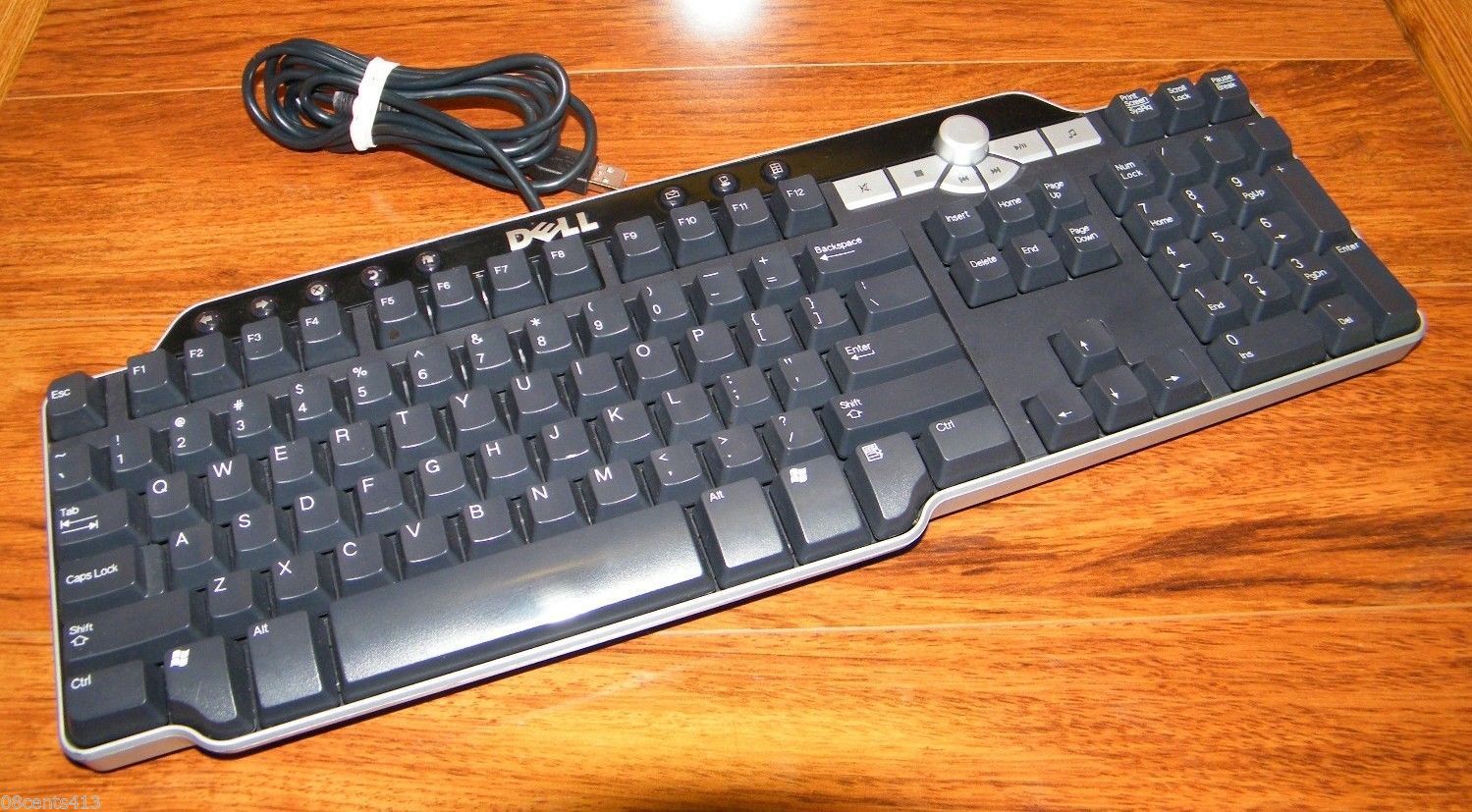
I also "settled" for this keyboard:
<http://xahlee.info/kbd/i/Dell_SK-8135_Multimedia_keyboard_01555.jpg>
I've probably another dozen "in stock" beyond the dozen or more that are >currently "deployed".
I don't like having to adjust to a different keyboard/mouse when I
move to another machine -- esp when they are ubiquitous and cheap.
For myself, I prefer low profile, wireless, USB-C charging, and fits
in my laptop bag. Something like this:
<https://www.ebay.com/itm/198641693168>
I've been discarding laptops as I try NOT to travel.
I keep one
running (currently) NetBSD 10.1R with a dock, brick and external
disk drive that I regularly use to download the most recent
"distfiles":
<https://cdn.netbsd.org/pub/pkgsrc/distfiles/>
without having to expose any of my machines to The Internet.
(The external disk is then sneakernetted to my air-gapped server
where it is used to update the previous accumulation of files)
To make things
difficult, my hands are fairly small and not really suitable for
playing standard piano keyboards (23.5 or 24.0 mm including a 1mm
space between white keys).
"How to Fix Mouse Left Button Random Double Clicking (Replacing
Switch)"
<https://oscarliang.com/fix-mouse-double-clicking-replace-switch/>
The double click does NOT come from the LED or laser used to move the
mouse pointer the display. The click comes from the small mechanical
switches on the PCB. There are various styles of these mouse
switches:
<https://www.google.com/search?q=mouse%20switch&udm=2>
Yes, but it requires disassembling the mouse to gain access to
the switches.
Recruiting the assistance of a teenage gamer might be instructional.
On Sat, 3 Oct 2026 16:57:15 -0700, Don Y <blockedofcourse@foo.invalid>
wrote:
I started noticing unintended double-clicks on several of my mice.
Went looking to see how long I've had them and see it's been better
than 10 years for the lot. So, I don't feel guilty scrapping the lot
of them!
[Amusing that the keyboards seem to have fared better in the same interval]
I typically use simple mice (two button w/ scroll wheel) but use a
single make/model *everywhere* (notable exception the BT mice used on
the Surfaces). This because the hosts run different OSs, apps, etc. so
trying to tune a mouse (not to be confused with tuning a fish!) to a
particular application is folly. These being Dell silver/black, wired,
optical mice.
<https://infotecplus.com/wp-content/uploads/2021/01/Dell-USB-Optical-Mouse-Silver-Black-Copy-1-2.jpg>
Time to find another make/model -- yet hope all candidates will
"feel" equally appropriate, "sight unseen".
Any pointers to recommend/avoid? Some I've encountered felt really flimsy. >> Others, felt like I was dragging a rock across the mousepad!
I use Dell laser mice. The cheaper LED mice don't work on some
surfaces, like Ikea varnished wood.
The LED ones are ok on a mousepad.
I started noticing unintended double-clicks on several of my mice.
Went looking to see how long I've had them and see it's been better
than 10 years for the lot.˙ So, I don't feel guilty scrapping the lot
of them!
[Amusing that the keyboards seem to have fared better in the same interval]
The left click button usually fails first.
I typically use simple mice (two button w/ scroll wheel) but use a
single make/model *everywhere* (notable exception the BT mice used on
the Surfaces).˙ This because the hosts run different OSs, apps, etc. so
trying to tune a mouse (not to be confused with tuning a fish!) to a
particular application is folly.˙ These being Dell silver/black, wired,
optical mice.
<https://infotecplus.com/wp-content/uploads/2021/01/Dell-USB-Optical-Mouse-
Silver-Black-Copy-1-2.jpg>
Time to find another make/model -- yet hope all candidates will
"feel" equally appropriate, "sight unseen".
Any pointers to recommend/avoid?˙ Some I've encountered felt really flimsy. >>> Others, felt like I was dragging a rock across the mousepad!
I use Dell laser mice. The cheaper LED mice don't work on some
surfaces, like Ikea varnished wood.
The LED ones are ok on a mousepad.
These days I still use Logitech mice and have done since they first popularised
the mouse. Prior to that I used their Modula 2 compiler which was pretty much
their *only* product (born of ETH Zurich).
I have given up on tailed mice now - preferring wireless mice.
Annoyingly I do as a result now have a box full of working random dongles and
mice that need matching up some day when I get a ROUNDTUIT.
The left click button usually fails first.
On Mon, 5 Oct 2026 10:52:33 +0100, Martin Brown
<'''newspam'''@nonad.co.uk> wrote:
The left click button usually fails first.
True, unless they are left handed (about 10% of the world population).
I had a customer with peripheral neuropathy, who lost all sensation in
the fingers and toes. He destroys about two keyboards per year.
Computer mice are not a problem because he switched to using a large trackball or a large touchpad (with gestures disabled).
I've also had to deal with a computer user with Parkinson's, where the problem was hitting the mouse buttons when his fingers were shaking. IYou can install software that automatically clicks any control/widget
glued two smooth plastic dish shaped rings over the mouse keys to
center the finger tip over the switch. It helped, but did not
eliminate the problem. He also tried an oversized keyboard: <https://www.google.com/search?udm=2&q=oversized%20computer%20keyboard> <https://www.oncue-tech.com>
On 10/5/2026 9:41 AM, Jeff Liebermann wrote:
I've also had to deal with a computer user with Parkinson's, where the
problem was hitting the mouse buttons when his fingers were shaking. I
glued two smooth plastic dish shaped rings over the mouse keys to
center the finger tip over the switch. It helped, but did not
eliminate the problem. He also tried an oversized keyboard:
On 10/4/2026 1:28 PM, Jeff Liebermann wrote:
But, the top surfaces are assorted
cartoon characters:
<https://i.etsystatic.com/51436135/r/il/93f4a4/7107106742/il_1080xN.7107106742_rqnq.jpg>
<https://cdn.dsmcdn.com/ty176/product/media/images/20210915/16/130163469/242349552/1/1_org_zoom.jpg>
<https://di2ponv0v5otw.cloudfront.net/posts/2024/10/10/67080d3f147b9868c3910da0/m_67080d5547c130028075f608.jpg>
Most of my mouse pads came from SCO (Santa Cruz Operations) when the
gift shop closed. The pad I'm currently using says:
"SCO Open Server. The Integrated Open Systems Environment"
My guess(tm) is early 1990's.
This machine has a Sun mousepad:
<http://jsenolt.sdf.org/mousepads/m_mpad_01.jpg>
I have a couple of Compaq mousepads that are terrible with laser mice;
black featureless vinyl with a brown/gold border. They are also very
"thin" so offer no cushion for my wrist.
I've been accused of leading conversations down rabbit holes. Maybe:
<https://www.redbubble.com/i/mouse-pad/Optical-Illusion-Hexagon-Honeycomb-Gray-White-Black-Hole-Vortex-by-hyproinc/86373414/2mh5>
Of course, I would also have to find the TIME to do such a thing...
But, spending an hour on each of (many!) these mice is just silly.
But, for the immediate future, the "hidden cache" that I stumbled on
will keep me from that diversion for quite a while!
On Sun, 4 Oct 2026 14:52:28 -0700, Don Y <blockedofcourse@foo.invalid>
wrote:
On 10/4/2026 1:28 PM, Jeff Liebermann wrote:
But, the top surfaces are assorted
cartoon characters:
<https://i.etsystatic.com/51436135/r/il/93f4a4/7107106742/il_1080xN.7107106742_rqnq.jpg>
<https://cdn.dsmcdn.com/ty176/product/media/images/20210915/16/130163469/242349552/1/1_org_zoom.jpg>
<https://di2ponv0v5otw.cloudfront.net/posts/2024/10/10/67080d3f147b9868c3910da0/m_67080d5547c130028075f608.jpg>
Most of my mouse pads came from SCO (Santa Cruz Operations) when the
gift shop closed. The pad I'm currently using says:
"SCO Open Server. The Integrated Open Systems Environment"
My guess(tm) is early 1990's.
This machine has a Sun mousepad:
<http://jsenolt.sdf.org/mousepads/m_mpad_01.jpg>
I get "server not found".
I have a couple of Compaq mousepads that are terrible with laser mice;
black featureless vinyl with a brown/gold border. They are also very
"thin" so offer no cushion for my wrist.
Yah, laser and LED mice need contrast. "Featureless" doesn't work.
However, I'm surprised that my flat while Formica desk surface works
with all of my assorted mice. ChatGPT says "it may or may not work
well depending on the mouse sensor": <https://chatgpt.com/share/6ac58623-be9c-83e8-aaca-1001bef82871>
However, they mention that it doesn't work with SHINY Formica. I
don't have any, so I can't test it.
I've been accused of leading conversations down rabbit holes. Maybe:
<https://www.redbubble.com/i/mouse-pad/Optical-Illusion-Hexagon-Honeycomb-Gray-White-Black-Hole-Vortex-by-hyproinc/86373414/2mh5>
Of course, I would also have to find the TIME to do such a thing...
No need to reinvent the wheel when there are plenty such artwork
available online: <https://www.google.com/search?q=3D%20vortex%20mouse%20pad&udm=2>
Such a 3D mouse pad might be useful for reminding me to not use my
mouse pad as a coaster for my tea cup. More: <https://www.google.com/search?q=coaster%203d%20vortex%20art&udm=2>
Of course, every good idea must be stretched to an extreme: <https://www.google.com/search?udm=2&q=3d%20pavement%20art>
I would probably be trying to create such artwork except for the minor
detail that I have no artistic skills whatsoever.
But, spending an hour on each of (many!) these mice is just silly.
Among my bad habits is a compulsion to disassemble far too many things
in an effort to understand how they work and possibly repair them.
This is not profitable, but does keep me entertained.
But, for the immediate future, the "hidden cache" that I stumbled on
will keep me from that diversion for quite a while!
That demonstrates that you didn't hide your mice adequately.
My mouseI have some "gyro mice" that are fun to play with:
stash is located away from the reach of visiting children and gamers.
Some of my mice are old or weird enough to be considered a
collectable:
<https://photos.app.goo.gl/TBDA3RioiQ42xEqL6>
I have some "gyro mice" that are fun to play with:
<https://www.ebay.com/itm/128103924313>
But they aren't practical as regular mice (better used when making
"standing" presentations)
On Tue, 6 Oct 2026 18:06:36 -0700, Don Y <blockedofcourse@foo.invalid>
wrote:
I have some "gyro mice" that are fun to play with:
<https://www.ebay.com/itm/128103924313>
But they aren't practical as regular mice (better used when making
"standing" presentations)
All my presentations have been standing up. I don't think any
audience would accept me giving a presentation while sitting down. I'm
not a big fan of PowerPoint style presentations. I prefer to have pre-printed papers, with all the links an references, available in
printed form or for download. The question and answer period tends to
be more interesting and informative than the traditional boring
PowerPoint monologue.
For presentations, think about using a laser pointer mouse:
"Laser Pointer Mouse" <https://web.mit.edu/6.111/www/s2006/PROJECT/3/Project3.pdf>This is similar but the laser's spot is actually the tip of a "magic
"It is amazing that we were able to create a system that detects a
laser pointer on a screen and moves the mouse cursor when the laser
pointer moves"
"Mouse emulator using a laser pointer and a camera" <https://www.cs.columbia.edu/~hgs/research/projects/laserpointer-mouse/> "...how to use a laser pointer and a camera to emulate a mouse,
allowing a presenter to control a computer remotely during a
presentation. The utility of this system would be in a large classroom environment or a presentation where an instructor or presenter can
simply use the laser pointer and move the mouse on the projected
screen without using the computer mouse."
| Sysop: | Jacob Catayoc |
|---|---|
| Location: | Pasay City, Metro Manila, Philippines |
| Users: | 3 |
| Nodes: | 4 (0 / 4) |
| Uptime: | 497972:48:56 |
| Calls: | 190 |
| Files: | 846 |
| Messages: | 71,498 |