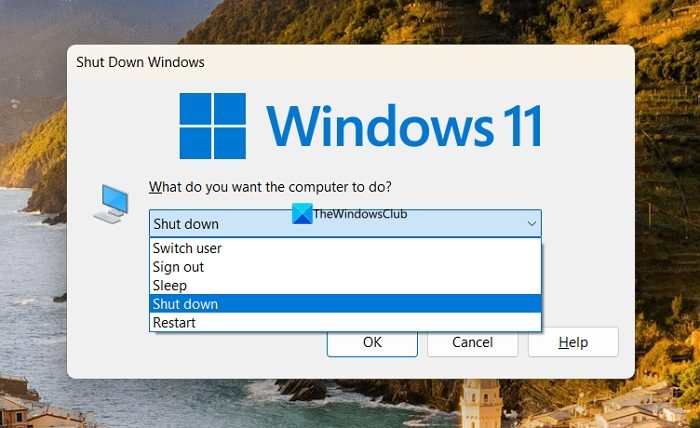
I use a shortcut to the Window 11 Shutdown routine, to shut down the
computer as it is quicker that right clicking to find it on in the Start menu.
Recently when using the Shutdown routine the computer appears to
shutdown but does not: screen goes blank and the computer will not
respond to the keys, but the power button light is still lit. Holding
the Power Button for several seconds completes the shutdown.
Has MS modified the shutdown routine that is called when "Shutdown"
Using the shortcut to the Shutdown routine has for years responded the
same as if I right click on the Start button find the shutdown options,
and then click Shutdown. Recently it occasionally done as described above.
I do the same thing, kinda. I use Rainmeter. It allows you to put
what looks like the old widgets in win95 or win7. I have a clock, HD volumes, and a shutdown/sleep/restart button trio. Still it's
nothing more than what a shortcut would do and these are the 3
commands that get used:
SleepCmd=rundll32.exe powrprof.dll,SetSuspendState Standby
RestartCmd=shutdown.exe -r -t 0
ShutdownCmd=shutdown.exe -s -t 0
I use a shortcut to the Window 11 Shutdown routine, to shut down the computer as it is quicker that right clicking to find it on in the Start menu.
Recently when using the Shutdown routine the computer appears to shutdown but does not: screen goes blank and the computer will not respond to the keys, but the power button light is still lit.ÿ Holding the Power Button for several seconds completes the shutdown.
Has MS modified the shutdown routine that is called when "Shutdown"
Using the shortcut to the Shutdown routine has for years responded the same as if I right click on the Start button find the shutdown options, and then click Shutdown.ÿÿ Recently it occasionally done as described above.
Alan K. <alan@invalid.com> wrote:
[...]
I do the same thing, kinda. I use Rainmeter. It allows you to put
what looks like the old widgets in win95 or win7. I have a clock, HD
volumes, and a shutdown/sleep/restart button trio. Still it's
nothing more than what a shortcut would do and these are the 3
commands that get used:
SleepCmd=rundll32.exe powrprof.dll,SetSuspendState Standby
FYI, on modern systems with 'Modern Standby' ("Standby (S0 Low Power
Idle) Network Connected"), this command will do a Hibernate, not a
Sleep.
AFAIK, it's not possible to do a Sleep from a command in a shortcut on such a system. (I wish it was, because clicking a shortcut is easier
than doing Start -> Power icon -> Sleep).
RestartCmd=shutdown.exe -r -t 0
ShutdownCmd=shutdown.exe -s -t 0
Alan K. <alan@invalid.com> wrote:I never use the sleep thus I've never noticed it working or not. I also turned off the
[...]
I do the same thing, kinda. I use Rainmeter. It allows you to put
what looks like the old widgets in win95 or win7. I have a clock, HD
volumes, and a shutdown/sleep/restart button trio. Still it's
nothing more than what a shortcut would do and these are the 3
commands that get used:
SleepCmd=rundll32.exe powrprof.dll,SetSuspendState Standby
FYI, on modern systems with 'Modern Standby' ("Standby (S0 Low Power
Idle) Network Connected"), this command will do a Hibernate, not a
Sleep.
AFAIK, it's not possible to do a Sleep from a command in a shortcut on such a system. (I wish it was, because clicking a shortcut is easier
than doing Start -> Power icon -> Sleep).
RestartCmd=shutdown.exe -r -t 0
ShutdownCmd=shutdown.exe -s -t 0
I use a shortcut to the Window 11 Shutdown routine, to shut down the computer ...
| Sysop: | Jacob Catayoc |
|---|---|
| Location: | Pasay City, Metro Manila, Philippines |
| Users: | 4 |
| Nodes: | 4 (0 / 4) |
| Uptime: | 494928:15:35 |
| Calls: | 162 |
| Files: | 568 |
| D/L today: |
14 files (349K bytes) |
| Messages: | 74,957 |